How to Unlock a Phone Without a Password: Expert Guide 2025
Learn how to unlock a phone without a password fast, safe, and easy with expert methods and tips for all phone types in 2025.
Getting locked out of your smartphone is one of the most frustrating tech problems you can face. If you’re wondering how to unlock a phone without a password, you’re not alone. Whether you’ve forgotten your PIN, purchased a second-hand device locked with a password, or are in an emergency, this guide is tailored for you. After 20+ years of tech blogging and gadget reviewing, I’ll walk you through expert-approved, safe, and fast methods to unlock any phone without the password hassle.
Why You Might Need to Unlock a Phone Without a Password
Forgotten Passwords and Lockouts
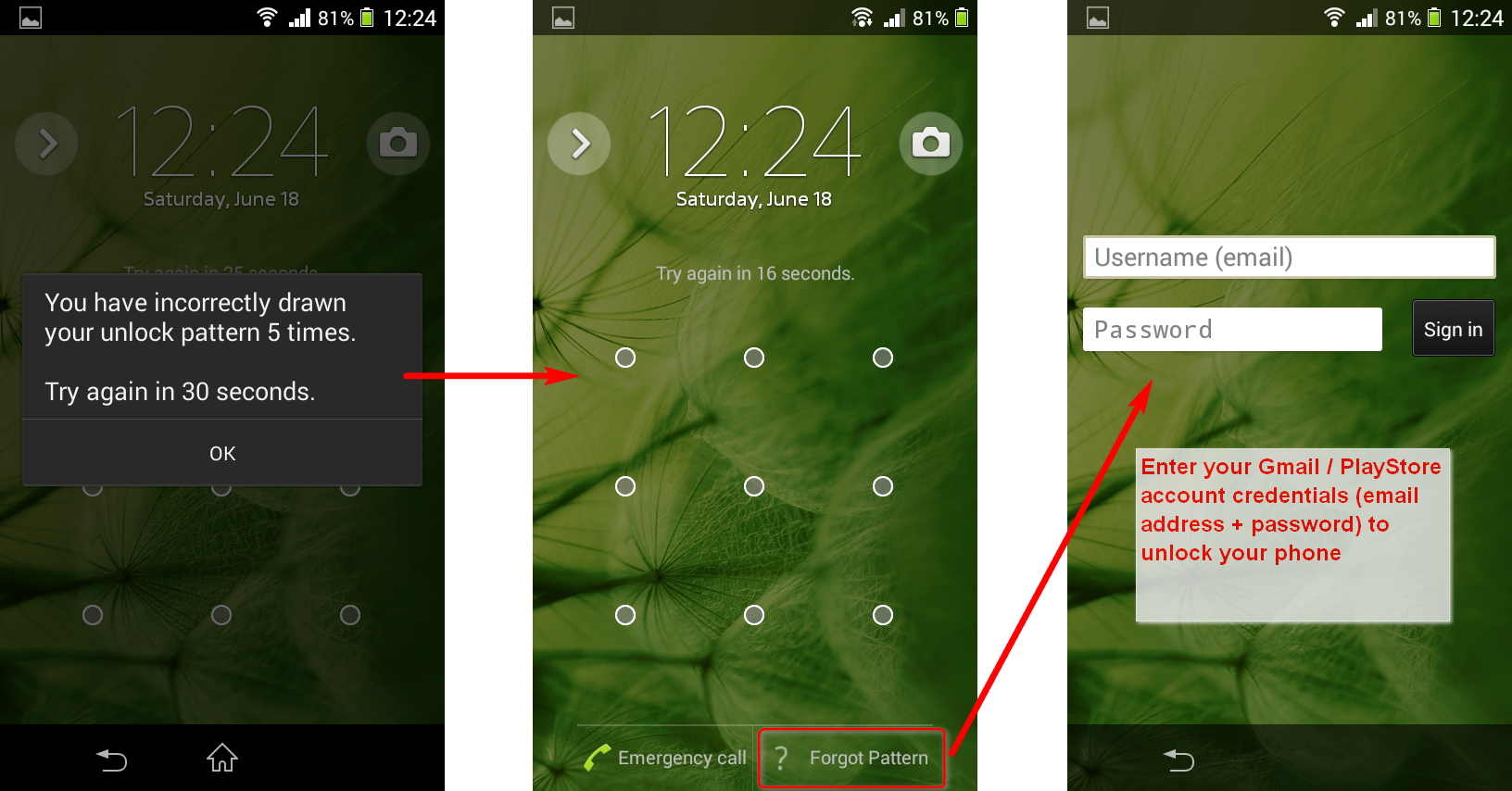
It’s common: a sudden memory lapse causes you to forget your phone’s PIN, pattern, or password. After several failed attempts, phones often lock permanently, triggering the urgent need to know how to unlock a phone without a password.
Buying a Second-Hand Phone Locked with a Password
Second-hand phones often come locked by previous owners. Without the password, unlocking the device is impossible by normal means, but with the right tools and methods, you can regain access.
Emergency Situations
Imagine needing quick access to a loved one’s phone in an emergency—knowing how to unlock a phone without a password fast can save precious time.
Understanding Phone Lock Mechanisms
Common Lock Types: PIN, Pattern, Password, Biometrics
Smartphones use several security methods:
- PIN codes (simple numeric passwords)
- Patterns (drawing a specific path on a grid)
- Complex passwords (alphanumeric combinations)
- Biometric locks (fingerprints, facial recognition)
Each type has different unlocking challenges.
Security Features and Their Implications
Modern phones protect data with encryption, automatic lockouts, and wiping features after repeated failed attempts, making unlocking without a password challenging but not impossible.
Best Methods to Unlock Locked Phone Without Password
Using Factory Reset for Android Devices
Factory resetting wipes all data but removes the lock.
Pros and Cons of Factory Reset
- Pros: Easy and guaranteed to unlock
- Cons: Complete loss of all data unless previously backed up
How to do it: Turn off the phone, enter recovery mode (varies by brand), and select factory reset.
Unlocking via Google’s Find My Device
Google’s Find My Device offers a remote reset feature.
Step-by-Step Guide and Limitations
- Visit Google Find My Device.
- Log in with the Google account linked to the phone.
- Select “Erase Device” to reset the phone remotely.
Limitations: Requires internet connection and the device to be powered on.
Using Apple’s Find My iPhone to Unlock iOS Devices
Apple’s Find My iPhone allows you to erase the device remotely, removing the password.
Benefits and Drawbacks
- Requires Apple ID login on iCloud.
- Erases all data, so backup is essential.
- Available via iCloud.com.
Third-Party Software Solutions for Unlocking
Many apps claim to unlock phones without passwords.
Recommended Apps and Tools
- Dr.Fone – Screen Unlock
- Tenorshare 4uKey
- iMyFone LockWiper
Safety Considerations and Risks
- Use reputable software to avoid malware.
- Paid services usually offer better support and guarantees.
- Always read reviews before purchase.
How to Unlock Phone Without Password Fast: Quick Tips
Using ADB Commands for Android Devices
If USB debugging was enabled, advanced users can connect the phone to a PC and run ADB commands to remove the lock screen. This method requires technical knowledge.
Emergency Call Bypass Tricks: What Works and What Doesn’t
Previously popular methods like emergency call screen hacks are now mostly patched and unsafe, so avoid relying on them.
Unlock Phone Without Password Safe and Easy: Security Considerations
Risks of Using Unofficial Unlocking Methods
Using illegal or unofficial unlockers can damage your phone or expose personal data.
Importance of Backups Before Unlocking
Always back up your data beforehand to prevent loss, using cloud services like Google Drive or iCloud.
Legal and Ethical Considerations
Unlocking devices you don’t own or without permission can be illegal. Always ensure you’re unlocking a device you have the right to access.
Expert Buying Tips for Unlocking Tools and Services
Choosing Reliable Software and Services
Choose solutions with strong user feedback and clear refund policies.
Avoiding Scams and Fake Unlockers
Be wary of free tools promising miracles; they often contain malware or scams.
Checking Reviews and Compatibility
Confirm the software supports your phone’s model and operating system version.
Preventing Future Lockouts: Best Practices for Phone Security
Using Password Managers and Biometrics
Password managers keep your credentials safe, while biometrics provide quick and secure access.
Setting Up Backup Unlock Methods
Use trusted contacts, backup PINs, or security questions for easier recovery.
Keeping Software Updated
Regular updates patch vulnerabilities and improve unlocking options.
Read Also: Most Secure Smartphones for Privacy-Conscious Users
Frequently Asked Questions About Unlocking Phones Without Password
- Can I unlock my phone without losing data?
Only if you use certain third-party tools or have backup methods enabled; factory reset always erases data. - Is it legal to unlock someone else’s phone?
Only if you have explicit permission or ownership; otherwise, it’s illegal. - How long does factory reset unlocking take?
Usually 10-20 minutes, depending on the device. - Are third-party unlocking apps safe?
Some are reputable; research carefully and use trusted sources. - What if USB debugging is disabled?
ADB methods won’t work; factory reset or remote erase might be your only options. - Can carrier stores unlock my phone?
Some carriers offer unlocking services, especially if you meet contract terms.